
Description
Seonardo Editorial Plan helps you organize, plan, and track all your editorial content in one integrated WordPress platform, improving productivity and content quality.
Created by Davide Ragogna – SEO Specialist and WordPress Developer.
Free Features
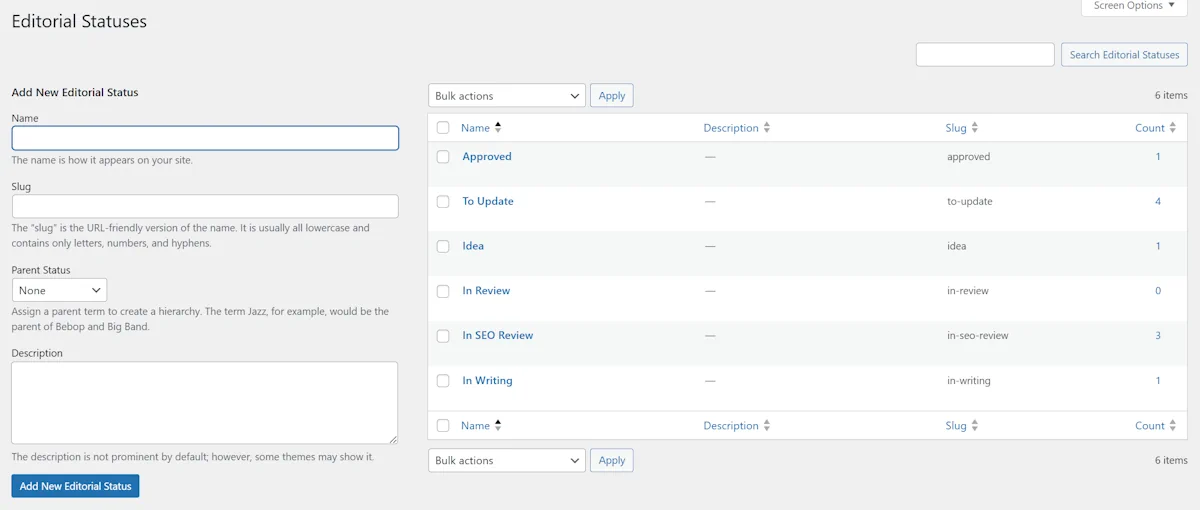
- Custom Editorial Statuses: Create unlimited custom statuses to track your content workflow (e.g., Idea, In Writing, In Review, Approved)
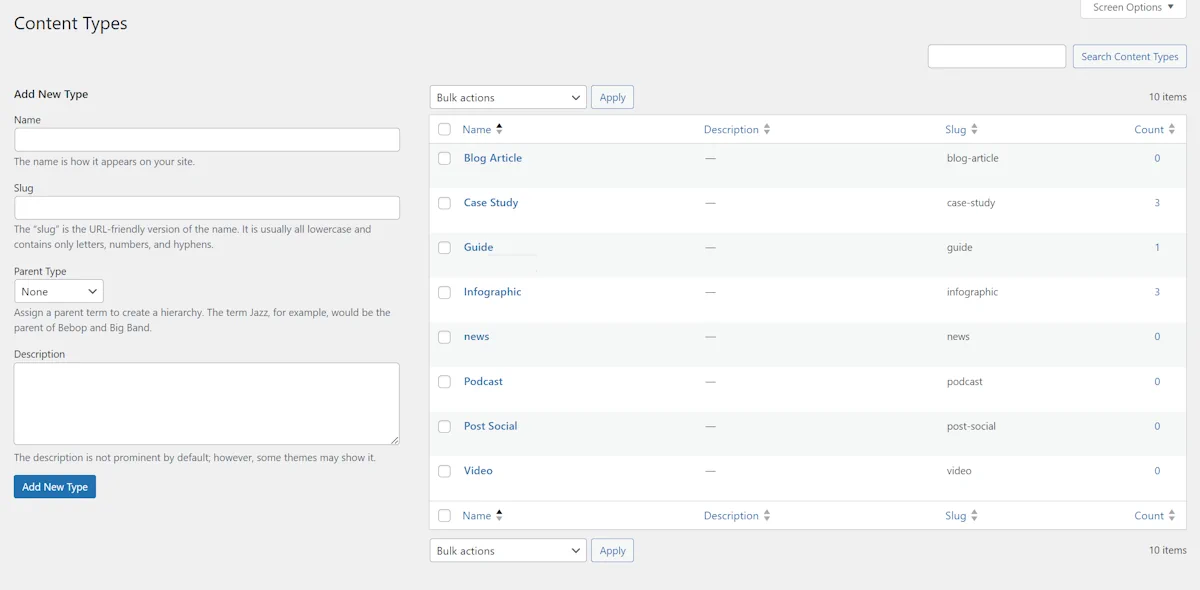
- Custom Content Types: Define unlimited content types to categorize articles by format or purpose
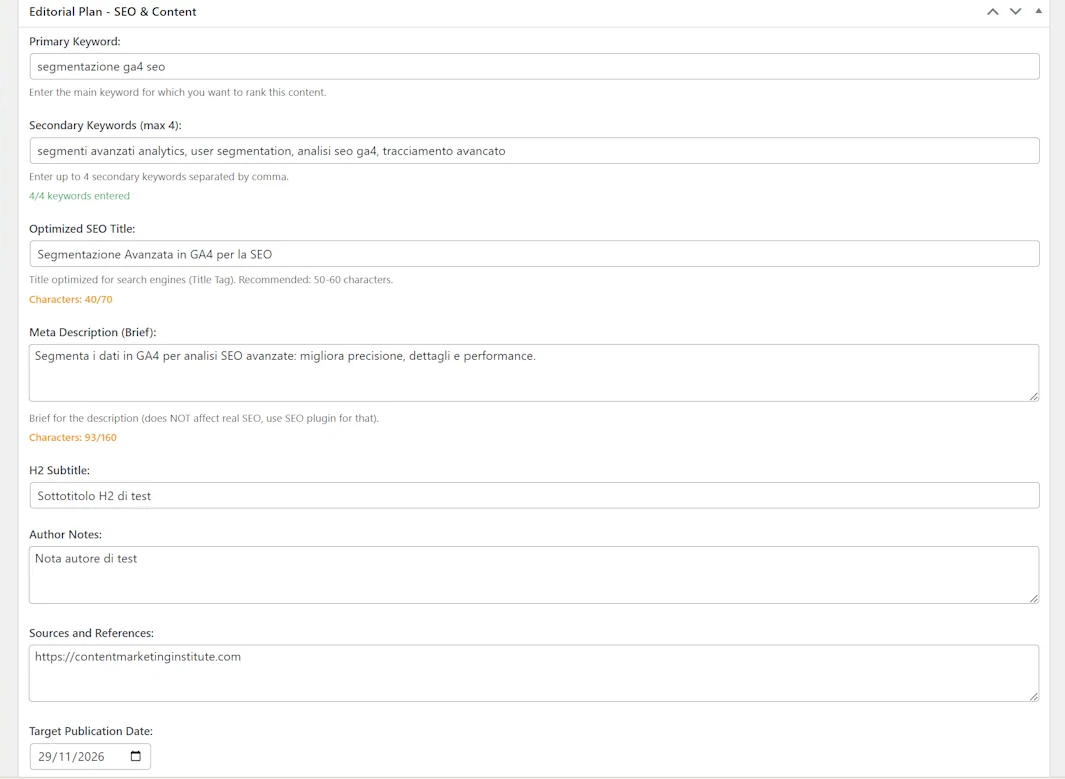
- Advanced SEO Fields: Add main keyword, secondary keywords, SEO title, and meta description to every article with automatic character counters
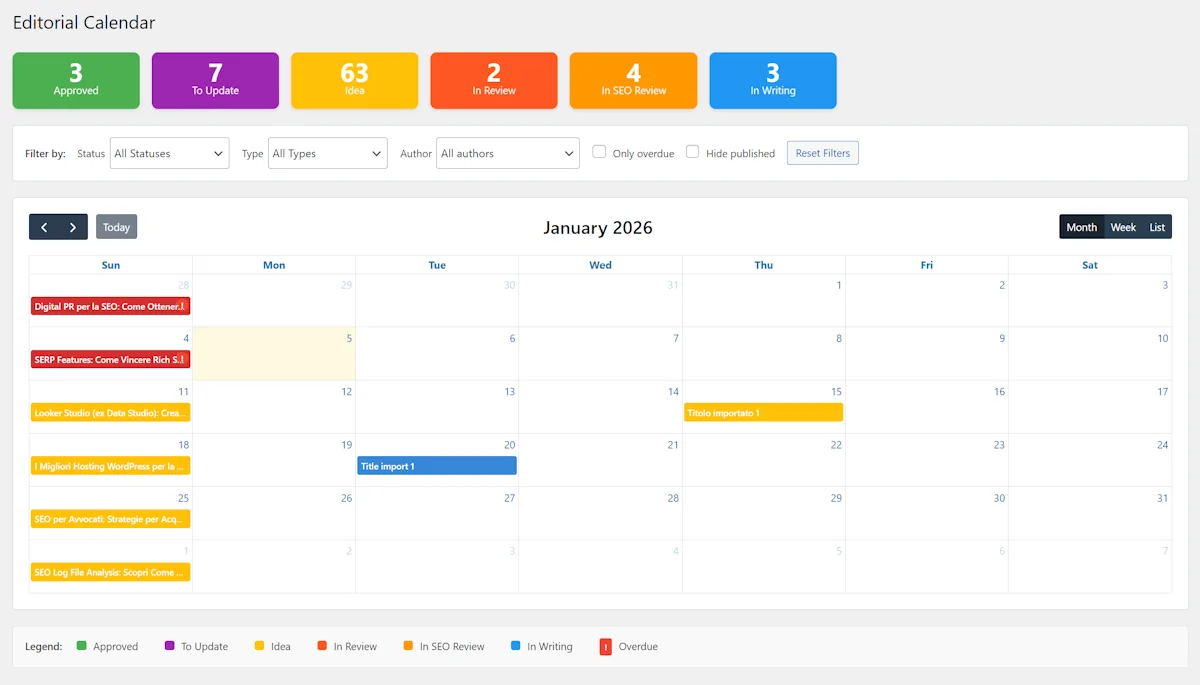
- Interactive Editorial Calendar: Visualize all your content in a full-featured calendar with month, week, and list views. Drag & drop to modify target dates
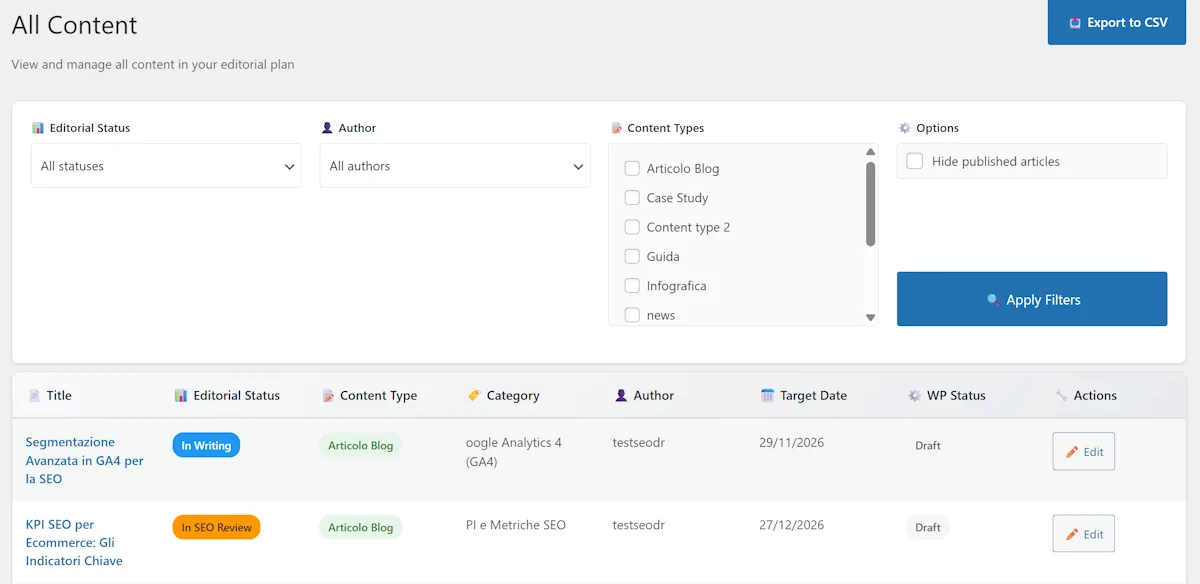
- All Content Table View: View and manage all articles in a comprehensive table with sorting, filtering, and quick edit capabilities
- Basic Filters: Filter articles by editorial status, content type, and author. Hide published articles option available
- Target Publication Date: Set a target publication date for each article to plan and track your editorial schedule
- Delay Indicators: Visual indicators in the calendar highlight articles with exceeded target dates in red
- Drag & Drop Date Editing: Modify article target dates directly in the calendar by dragging events to new dates
- Basic CSV Export: Export filtered content to CSV format for external analysis or backup
Upgrade to Pro
Unlock advanced features with Seonardo Editorial Plan Pro:
- Bulk import from Excel/CSV (up to 500 articles)
- Analytics Dashboard with interactive charts
- Custom editorial checklists
- Obsolete content detection
- Automatic email notifications
- Saved and reusable filters
- Individual author notifications
- Weekly digest
- Advanced bulk actions
- Pre-filled CSV templates
- Priority support
Screenshots

Installation
- Upload the plugin files to the
/wp-content/plugins/seonardo-editorial-plandirectory, or install the plugin through the WordPress plugins screen directly. - Activate the plugin through the ‘Plugins’ screen in WordPress.
- Use the ‘Editorial Plan’ menu in WordPress admin to start managing your content.
FAQ
-
Do I need a license to use the free version?
-
No, the free version is fully functional and doesn’t require any license.
-
Can I upgrade to Pro later?
-
Yes, you can upgrade to Pro at any time from the plugin’s License page or by visiting our website at seonardo.it.
-
What’s the difference between Free and Pro?
-
The free version includes all basic features for managing your editorial plan. Pro adds bulk import, analytics, checklists, notifications, and advanced team features.
-
Is the plugin compatible with my theme?
-
Yes, Seonardo Editorial Plan works with any WordPress theme.
-
Can I use this for team collaboration?
-
Yes, the free version supports multiple authors and basic collaboration. Upgrade to Pro for advanced team features like individual notifications and detailed analytics.
Reviews
There are no reviews for this plugin.
Contributors & Developers
“Seonardo Editorial Plan” is open source software. The following people have contributed to this plugin.
Contributors
Translate “Seonardo Editorial Plan” into your language.
Interested in development?
Browse the code, check out the SVN repository, or subscribe to the development log by RSS.
Changelog
1.0.0
- Initial release
- Custom editorial statuses
- Custom content types
- Interactive calendar
- SEO fields
- Content table view
- Basic filters and export
- Column sorting for all table columns (Editorial Status, Content Type, Category)
- Inline Quick Edit for editorial status directly from All Content table
- Bulk edit functionality for multiple articles (select and change status)
- Centralized color management system for editorial statuses
- Support for custom editorial statuses with consistent colors
- Multilingual color compatibility (Italian/English)
- CSV import with multilingual support (English/Italian status names)
- Analytics Dashboard with interactive charts
- Bulk import from Excel/CSV (up to 500 articles)
- Custom editorial checklists
- Obsolete content detection
- Automatic email notifications
- Saved and reusable filters
- Individual author notifications
- Weekly digest
- Advanced bulk actions
- Pre-filled CSV templates
- Complete localization support for all features in both Italian and English