

Description
PostBeagle for WooCommerce seamlessly integrates your WooCommerce store with PostBeagle email marketing platform. Allow customers to opt-in to your email list during checkout and automatically sync their information to PostBeagle.
Features
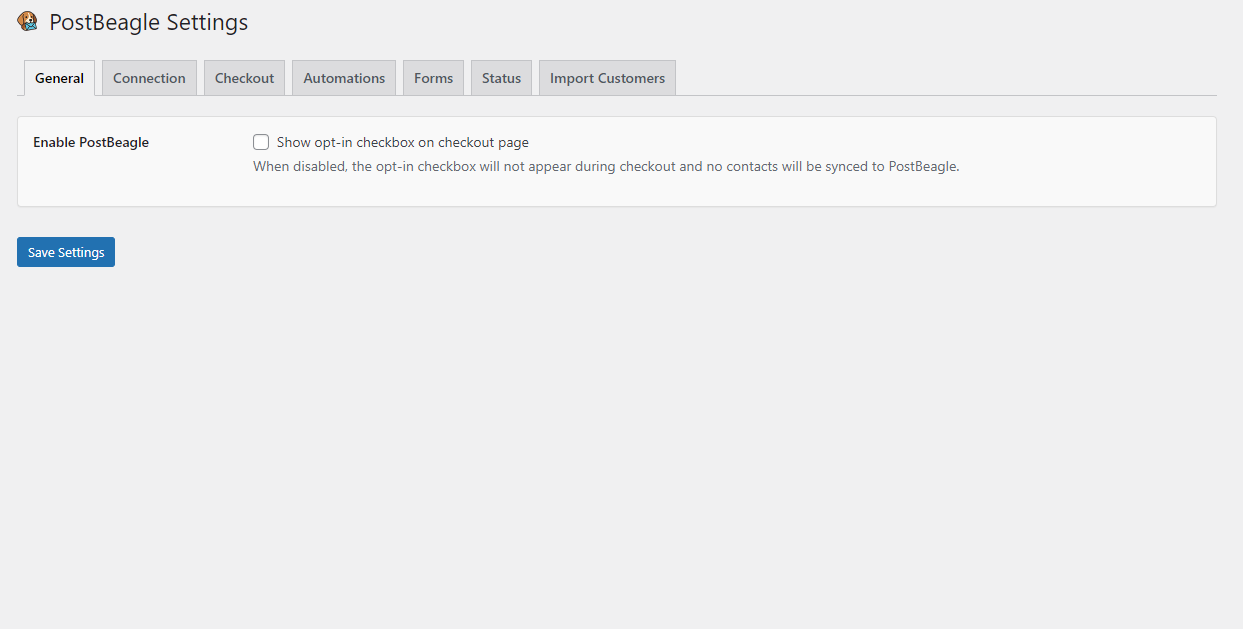
- Add opt-in checkbox to WooCommerce checkout
- Customize opt-in checkbox text
- Automatically sync opted-in customers to PostBeagle, tagged first-time vs. repeat
- Map WooCommerce order data to PostBeagle custom fields (incl. customer lifetime value and order count)
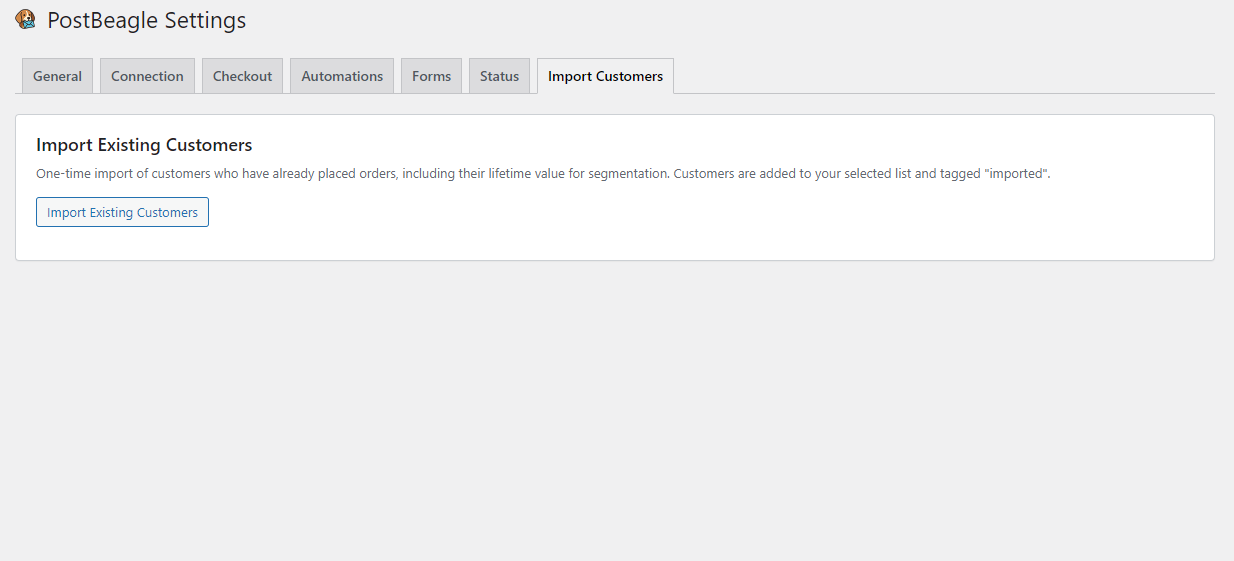
- One-time bulk import of existing customers with lifetime value
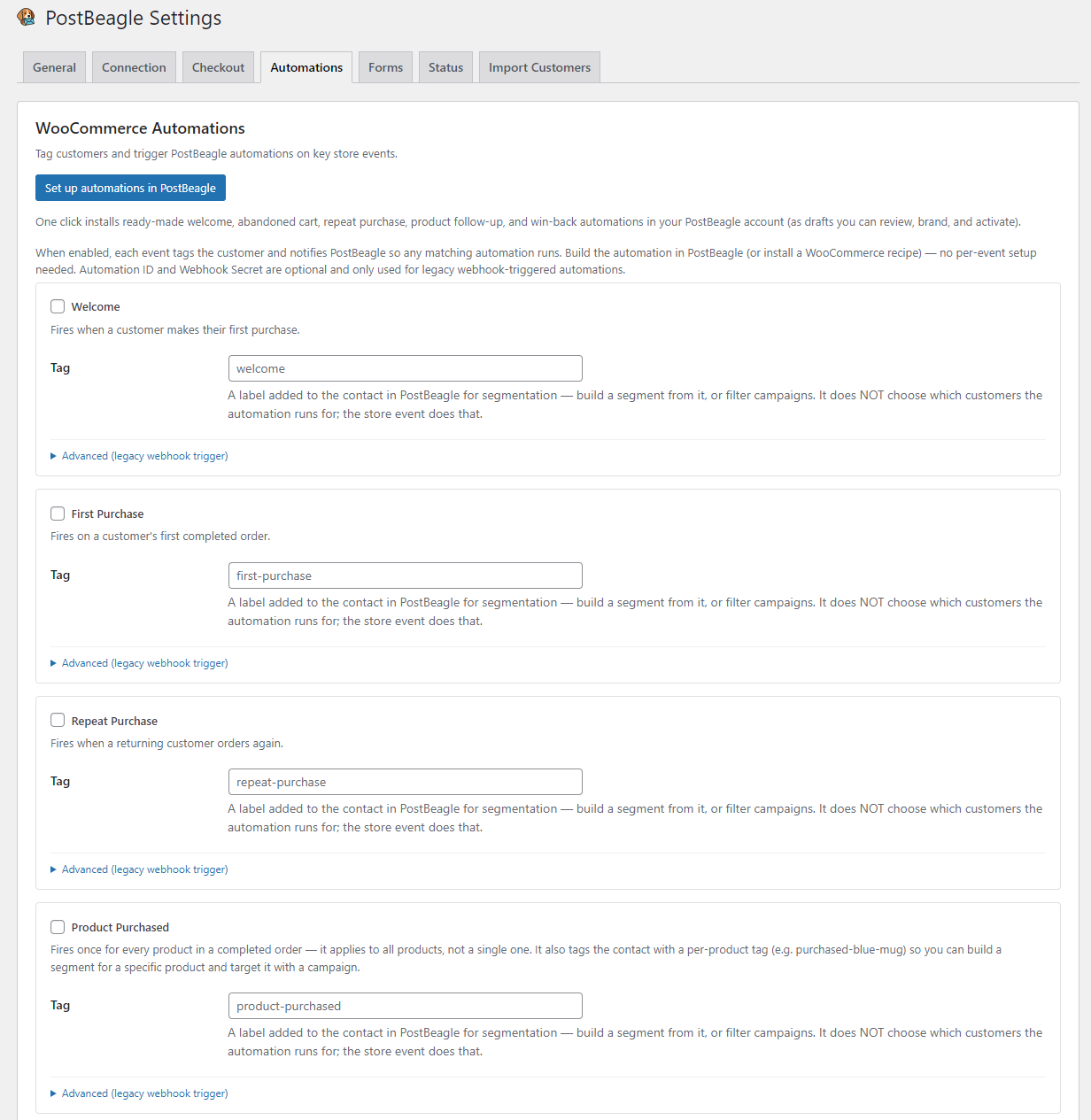
- WooCommerce automations: welcome, first purchase, repeat purchase, product purchased, abandoned cart, and win-back — each can tag the customer and trigger a PostBeagle automation
- Email capture anywhere: [postbeagle_signup] shortcode, Gutenberg block, and Elementor widget
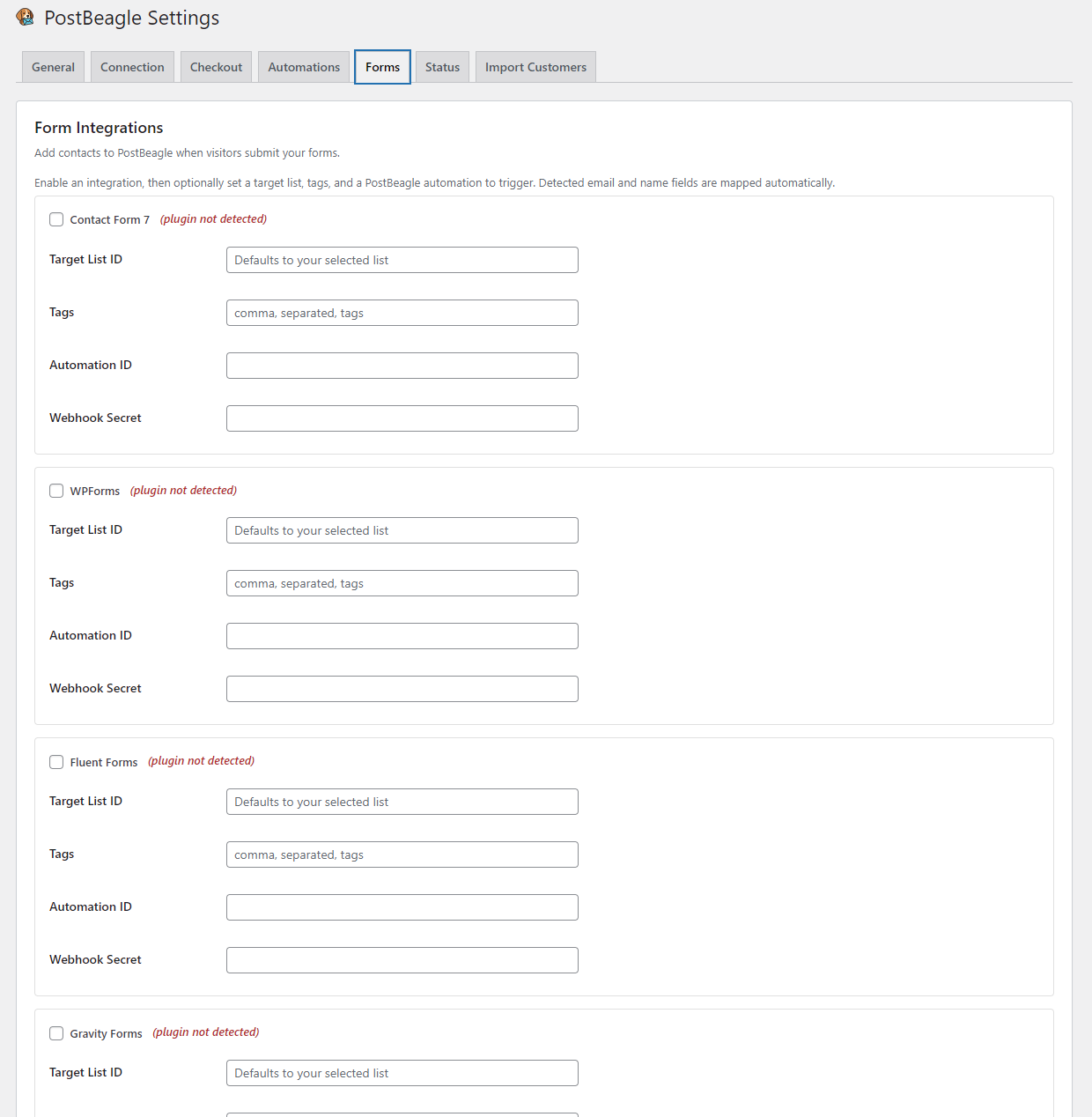
- Form integrations: Contact Form 7, WPForms, Fluent Forms, and Gravity Forms (add contact, apply tags, trigger automations)
- Support for double opt-in workflows
- Abandoned cart recovery, revenue attribution and browsing-behaviour tracking are all off by default — you choose what data leaves your store (see External Services below)
- Comprehensive error logging and debugging
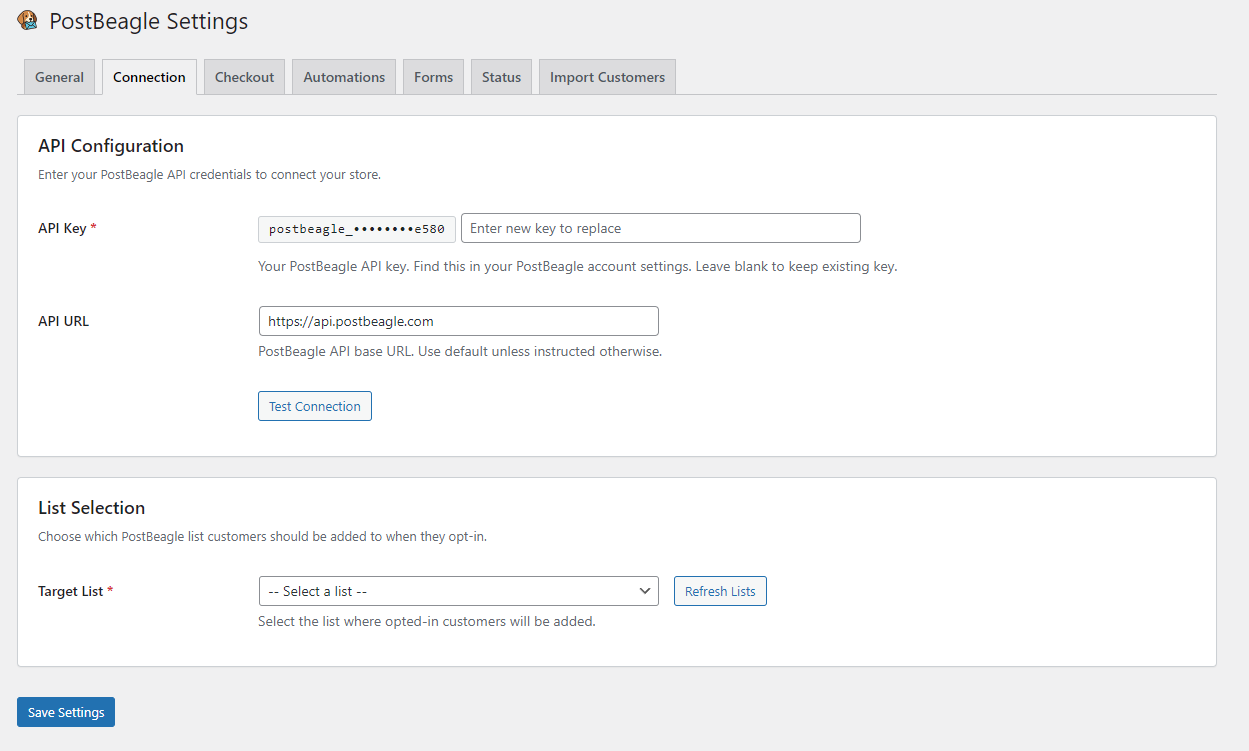
- Secure API key storage
- Never disrupts the checkout process
Requirements
- WordPress 5.8 or higher
- WooCommerce 8.9 or higher
- PHP 7.4 or higher (PHP 7.2+ with the sodium PECL extension, or PHP 7.2+ compiled with –with-sodium)
- PHP sodium extension (libsodium) — included by default in PHP 7.2+; required for secure API key encryption. The plugin will fall back to a weaker encoding method if sodium is unavailable, but this is not recommended.
- PostBeagle account with API access
External Services
This plugin is a client for PostBeagle, a third-party email marketing service. It sends data to https://api.postbeagle.com and does not function without a PostBeagle account.
Nothing is transmitted until you enter an API key and enable the plugin.
Always active once configured
POST /api/contacts— when a customer ticks the newsletter opt-in checkbox at checkout (unchecked by default). Sends: email, first name, last name, tags, and any custom fields you have mapped (which may include order total, products, categories, lifetime value and order count).POST /api/events— automation events you have explicitly enabled (welcome, first purchase, repeat purchase, product purchased, win-back). Sends: email plus the relevant order or product data.GET /api/email-lists— retrieves your lists for the settings screen. Sends: no customer data.GET /api/suppressions/changes— retrieves unsubscribes so they can be honoured locally. Sends: no customer data.POST /api/webhooks/automation/{id}andPOST /api/automation-recipes/install— used by the form integrations and the one-click automation setup button. Sends: email and tags.
Failed requests are retried from a local outbox table.
Off by default — you must enable these
- Abandoned cart recovery (Settings Data Collection). In the recommended “capture during checkout” mode, the shopper’s email address is sent as they type it at checkout, together with their cart contents, before the order is placed. This is how abandoned cart recovery works, and it means personal data is processed before purchase — review your local privacy obligations before enabling. Switch to “only after a completed order” to avoid pre-purchase capture entirely, or turn on Privacy mode to capture only shoppers who ticked the opt-in checkbox. Endpoints:
POST /api/events,GET /api/carts/{token}/snapshot. - Revenue attribution (Settings Data Collection). Reports every paid order — including orders from customers who did not opt in — so campaigns can be credited with the sales they drove. Sends: billing email, order id and number, total, currency, status, timestamp, coupon codes, and line items (product id, SKU, name, categories, quantity, price).
- Browsing behaviour (Settings Data Collection). Sets a first-party
pb_cidcookie (90 days, HttpOnly) when a subscriber clicks through from a PostBeagle email, so the visit can be credited to the campaign that sent it, and reports the products that visitor views toPOST /api/events. Only visitors already identified by that cookie or by being logged in are tracked; anonymous visitors are never tracked. When this setting is off no cookie is written and no product views are sent — this is the plugin’s only use of cookies.
Terms and privacy
Screenshots
Blocks
This plugin provides 1 block.
- PostBeagle Signup
Installation
- Upload the plugin files to
/wp-content/plugins/postbeagle-for-woocommerce/ - Activate the plugin through the ‘Plugins’ menu in WordPress
- Go to WooCommerce > PostBeagle Settings
- Enter your PostBeagle API credentials
- Select your target email list
- Customize the opt-in checkbox text (optional)
- Configure field mappings (optional)
FAQ
-
Do I need a PostBeagle account?
-
Yes, you need an active PostBeagle account with API access.
-
Will this slow down my checkout?
-
No. Requests to PostBeagle use a short timeout and are retried in the background from a local queue, so the checkout never waits on them and never fails because of them.
-
When exactly is data sent?
-
Out of the box, only when a customer ticks the newsletter opt-in checkbox at checkout, and only after the order is placed.
Three optional features send more than that, and each is off until you switch it on under WooCommerce PostBeagle Data Collection:
- Abandoned cart recovery in “capture during checkout” mode sends the shopper’s email and cart contents before the order is placed. Choose “only after a completed order” to avoid that entirely.
- Revenue attribution sends every paid order, including from customers who did not opt in.
- Browsing behaviour sets a cookie when a subscriber clicks through from a PostBeagle email, and reports the products they view.
See the External Services section below for the full detail.
-
What happens if the API call fails?
-
The checkout process continues normally. Failed syncs are logged for review in the WordPress debug log.
-
Does this support double opt-in?
-
Yes, the plugin respects double opt-in settings configured in your PostBeagle account.
-
Can I map custom fields?
-
Yes, you can map WooCommerce order data (order total, products, categories, etc.) to PostBeagle custom fields.
Reviews
There are no reviews for this plugin.
Contributors & Developers
“PostBeagle for WooCommerce” is open source software. The following people have contributed to this plugin.
Contributors
Translate “PostBeagle for WooCommerce” into your language.
Interested in development?
Browse the code, check out the SVN repository, or subscribe to the development log by RSS.
Changelog
1.5.1
- Product view tracking and the
pb_cidclick-through cookie are now off by default behind their own Browsing behaviour setting — no cookie is written and no browsing data is sent unless the store owner turns it on - Clarified in the readme exactly when data is sent, and corrected an FAQ answer that contradicted the External Services section
- Added a sanitize callback to the last remaining register_setting() call without one
1.5.0
- Security: the account API key is no longer sent to the browser. Product view events now go through an authenticated admin-ajax endpoint, and the key never leaves the server
- Abandoned cart recovery is now off by default, with a capture mode choice (“during checkout” or “only after a completed order”) and an optional Privacy mode that captures only shoppers who ticked the opt-in checkbox
- Revenue attribution (sending every paid order, including from customers who did not opt in) is now off by default and controlled by its own setting
- The
pb_cidcookie is no longer set on a site that has not been enabled and connected to an account - Rewrote the External Services disclosure to list every endpoint, every data category, and the exact consent model
- Fixed a fatal error on sites running Elementor, caused by a stale file path left over from the 1.4.0 rename
- Fixed a translation call that ran before the text domain was ready, which triggered a notice on WordPress 6.7+
- Fixed abandoned cart recovery links, which could never be redeemed: the code that built them and the code that validated them had drifted apart on the signing secret, the meaning of the embedded timestamp, and the base64 alphabet. Generation and validation now share one implementation, and links already in circulation are still accepted
- Fixed abandoned cart and win-back timing on sites not set to UTC: schedules and inactivity comparisons used site-local time where a UTC timestamp was required, skewing both by the site’s UTC offset
- Custom table schema changes now apply on plugin update, not only on activation
- Log directory is now protected on nginx as well as Apache
- Suppression sync now writes to the plugin log instead of the PHP error log
1.4.0
- Renamed all plugin identifiers from the
pb_prefix topostbeagle_for WordPress.org coding-standards compliance — classes, constants, options, transients, AJAX actions, cron hooks, script handles, and the three custom tables - Added a one-time upgrade migration that moves existing settings, pending abandoned-cart timers, and custom table data to the new names — no reconfiguration required
- Order meta keys (
_pb_*) and thepb_cididentity cookie are intentionally unchanged, so historical order data and links in already-delivered emails keep working PB_ENCRYPTION_KEYin wp-config.php is still honoured alongside the newPOSTBEAGLE_ENCRYPTION_KEYname
1.3.0
- Added HPOS (High-Performance Order Storage) compatibility — plugin now works correctly with WooCommerce custom order tables
- Added block checkout support via the WooCommerce Additional Checkout Field API (WC 8.9+)
- Added consent record storage for GDPR compliance (records label, timestamp, checkout type, plugin version)
- Upgraded API key storage to sodium encryption (auto-migrates from legacy format)
- Masked API key display in settings — key never appears in page source
- Implemented automation tag steps (add_tag, remove_tag) in the worker
- Added External Services disclosure for WP.org compliance
- Fixed uninstall to use batched HPOS-safe cleanup
- Updated minimum WooCommerce requirement to 8.9
- Various security and coding standards improvements for WP.org Plugin Check compliance
1.1.0
- WooCommerce sync: products, categories, SKUs, order value, customer lifetime value and order count as custom fields
- First-time vs. repeat customer tagging at checkout
- One-time bulk import of existing customers (batched) with lifetime value
- WooCommerce automations: welcome, first purchase, repeat purchase, product purchased, abandoned cart, win-back
- Email capture: [postbeagle_signup] shortcode, Gutenberg block, and Elementor widget
- Form integrations: Contact Form 7, WPForms, Fluent Forms, Gravity Forms (contact + tags + automation trigger)
- Implemented the previously-missing PB_Field_Mapper and a shared contact-sync service
- Added a self-contained unit test suite (tests/run.php)
1.0.0
- Initial release
- API credential configuration
- List selection
- Checkout opt-in checkbox
- Custom field mapping
- Error logging and debugging
- Double opt-in support