
Description
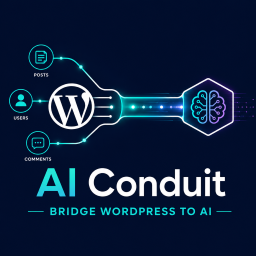
AI Conduit bridges your WordPress data to LLM-powered AI assistants via the Model Context Protocol (MCP) Streamable HTTP transport. Build structured, read-only data endpoints that expose specific WordPress content to MCP-compatible clients like Claude Desktop, Cursor, and other AI assistants.
Key Features
- Visual Tool Builder — Drag-and-drop React admin UI to create MCP tools without writing code.
- Block System — Choose from Posts, Users, Comments, and Site Info blocks to build tools. Each block has configurable fields, custom fields (meta keys), taxonomy filters, and standard filters.
- Multi-Block Tools — Combine multiple blocks in a single tool for comprehensive data access. Selective block execution via the
_blocksparameter. - Join Queries — Build cross-table queries that join Posts to Users, Comments to Posts, and more — all from the visual builder.
- Pattern Meta Keys — Use wildcard patterns (e.g.,
_course_completed_%) to dynamically match and return groups of meta keys. - Meta Filters — Filter by custom fields with operators like
=,!=,>,<,LIKE,IN,BETWEEN, and more. - Role-Based Access — Per-tool role-based access control ensures only authorized users can query specific data.
- MCP Protocol Support — Full JSON-RPC 2.0 implementation with
initialize,ping,tools/list, andtools/callmethods. - Request Logging — All MCP requests and responses are logged to a custom database table with automatic daily cleanup.
- Rate Limiting — Configurable per-user rate limiting with automatic block duration.
- Import/Export — Export individual or all tools as JSON. Import tools on another site with automatic rename on conflict and block type validation.
- Extensible — Add-on developers can register custom block types, REST endpoints, and configurator components.
Who Is It For?
- WordPress site administrators who want to expose site data to AI assistants.
- Customer support teams using AI clients to speed up ticket resolution.
- Site owners who want AI-generated reports from their WordPress data.
- Add-on developers extending AI Conduit with custom blocks for WooCommerce, MemberPress, LearnDash, and other plugins.
How It Works
- Install and activate the plugin.
- Navigate to AI Conduit > Tools in the WordPress admin.
- Create a new tool using the visual drag-and-drop builder.
- Configure blocks, fields, filters, and access roles.
- Connect your MCP client (Claude Desktop, Cursor, etc.) to the endpoint URL shown on the Instructions page.
- AI assistants can now query your WordPress data through the tools you built.
Screenshots

Tool Builder — Drag-and-drop interface for creating MCP tools. 
Settings Page — Configure caching, logging, and rate limiting.
Installation
- Upload the
ai-conduitfolder to the/wp-content/plugins/directory. - Activate the plugin through the “Plugins” menu in WordPress.
- Navigate to AI Conduit > Tools to start building MCP tools.
- Create an Application Password under Users > Profile for MCP client authentication.
FAQ
-
What is MCP?
-
The Model Context Protocol (MCP) is an open standard that allows AI assistants to securely access external data sources. AI Conduit implements MCP’s Streamable HTTP transport so that AI clients can query your WordPress content.
-
Is my data safe?
-
Yes. All tools are read-only — AI assistants cannot modify your WordPress data. Each tool has role-based access control, and all requests are logged for auditing. Rate limiting prevents abuse.
-
Which AI clients are supported?
-
Any MCP-compatible client works with AI Conduit, including Claude Desktop, Cursor, and other AI assistants that support the MCP Streamable HTTP transport.
-
Can I extend AI Conduit with custom blocks?
-
Yes. Add-on developers can register custom block types by extending the
Wlconduit_Block_Baseclass and hooking into thewlconduit_register_blocksaction. Custom REST endpoints can be registered via theWlconduit_REST_Registryclass. -
What authentication method does the MCP endpoint use?
-
The MCP endpoint uses WordPress Application Passwords with HTTP Basic Authentication. Create an Application Password under Users > Profile in the WordPress admin.
Reviews
There are no reviews for this plugin.
Contributors & Developers
“AI Conduit” is open source software. The following people have contributed to this plugin.
Contributors
Translate “AI Conduit” into your language.
Interested in development?
Browse the code, check out the SVN repository, or subscribe to the development log by RSS.
Changelog
1.0.0
- Initial release.
- Visual drag-and-drop tool builder with React admin UI.
- Four built-in block types: Posts, Users, Comments, Site Info.
- MCP JSON-RPC 2.0 endpoint with Streamable HTTP transport.
- Multi-block tools with selective block execution.
- Cross-table join queries via the visual builder.
- Pattern meta key matching with wildcard support.
- Meta filters with 14 comparison operators.
- Per-tool role-based access control.
- Tool import/export with block type validation and auto-rename on conflict.
- Request/response logging with daily cleanup.
- Configurable rate limiting with automatic block duration.
- Add-on extensibility: custom blocks, REST endpoints, configurator components.