

Description
Select multiple items from the media library and download them as a single ZIP archive. Simple and efficient.
Screenshots
Installation
- Upload the plugin files to the
/wp-content/plugins/media-library-downloaddirectory, or install through the WordPress plugins screen directly. - Activate the plugin through the ‘Plugins’ screen in WordPress.
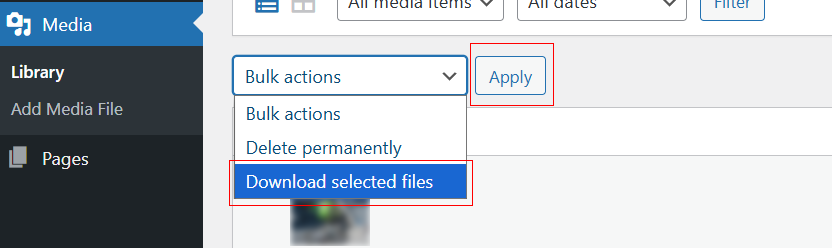
- Go to Media > Library and use the “Download selected files” button or bulk action.
Reviews
There are no reviews for this plugin.
Contributors & Developers
“Media Library Download” is open source software. The following people have contributed to this plugin.
Contributors
Translate “Media Library Download” into your language.
Interested in development?
Browse the code, check out the SVN repository, or subscribe to the development log by RSS.
Changelog
1.0.13
- Use WP_Filesystem API for downloads (no fopen/fread/fclose).
- Replaced inline scripts with proper enqueues (wp_register_script/wp_enqueue_script + wp_localize_script).
- Unique prefix
medilidofor actions/filters/transients; removed short prefixes. - Replaced unlink() with wp_delete_file().
- Removed bundled banner/icon assets (use SVN /assets instead).